

TOYTAG
Kaibot Advanced Coding Cards
Kaibot Advanced Coding Cards
Couldn't load pickup availability
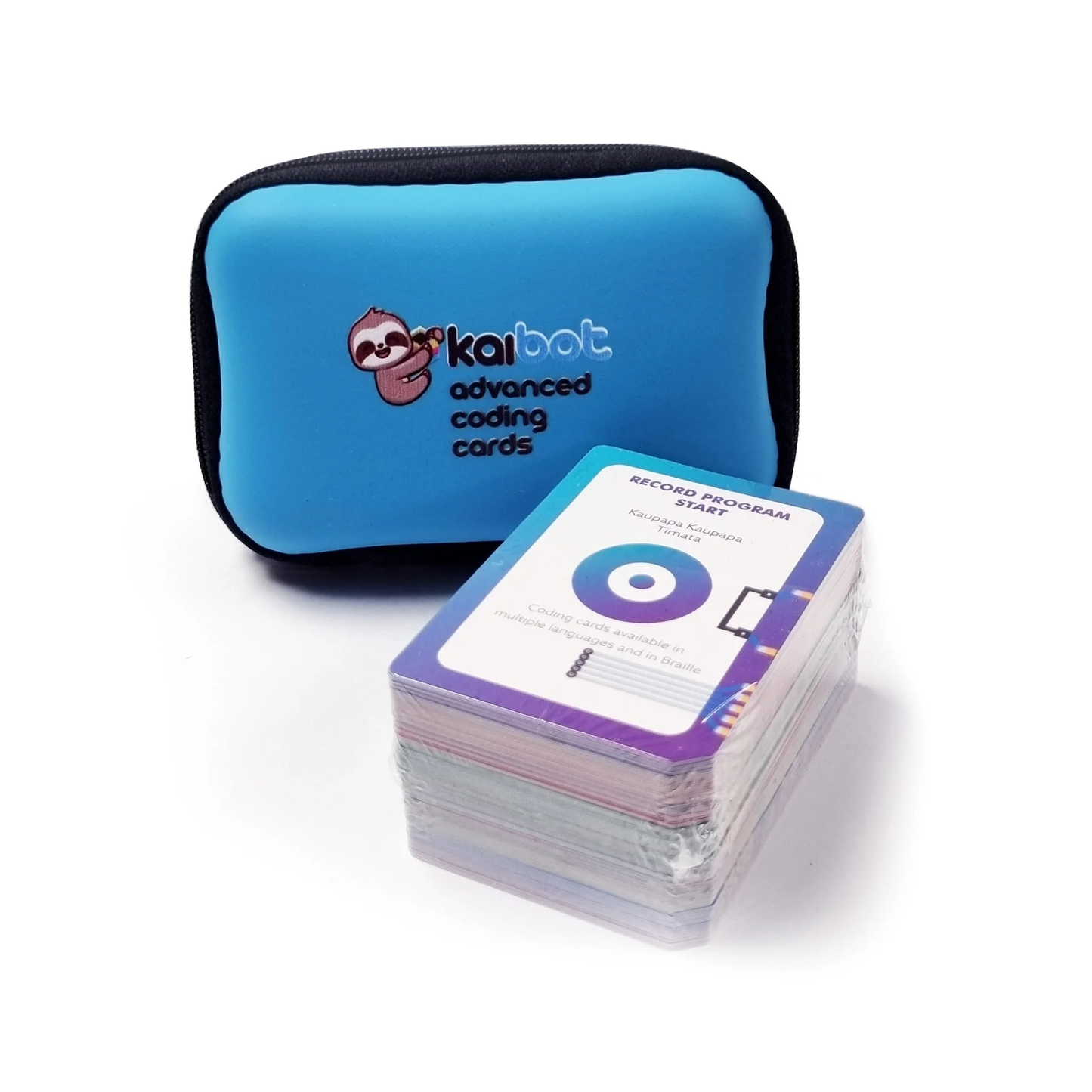
Advance your KaiBot capabilities with an Advanced Coding Cards pack. Introduce new logic, repeats, variables, logic, conditions, SEL, color and more to your arsenal.
>With this 51-deck of colorful coding cards, you’ll be able to create a variety of interactive programming projects. Kids can build on their critical, foundational skills and start simple, then progress to advanced programming skills. Skills learned can easily transfer to other programming languages.
Screen-free
Feel free to download a copy of these coding cards for your own use in the classroom or homeschool. On the back of each card are instructions for beginners to start coding.
Use with KaiBot
These cards can be read by the KaiBot camera sensor. KaiBot can be used to record each card and then simply place KaiBot on the Run card and watch it perform your programmed actions!
>Movement
The motion cards relate to the movement and direction of the KaiBot, but these cards can also be used in fun activities to get kids to act out coded programs, like navigating around furniture and obstacles.
The green * on the card indicates to add a Number card afterwards to specify how many KaiTiles to move or turn.

Movement Category Coding Cards:
- >Backward *
- >Forward *
- >Turn Left *
- >Turn Right *
- >Circle with radius of *
- >Wait * seconds
Program cards manage the basic flow of the program in an organized fashion. They also include function cards that can be used to record seperate routines outside of the main code.
Using KaiBot, tap each card to record the program, then tap on the Run Program card to play the recorded program.

Control Category Coding Cards:
- Record start
- Record end
- Run program
- Stop propgram
- Function 1 record start
- Function 1 record end
- Function 1 run
- Function 2 record start
- Function 2 record end
- Function 2 run
- Function 2 record start
- Function 2 record end
- Function 2 run
Conditional statements always have an “if” part, which tells the program what to do when the condition is true and an “else” part to perform when the condition is false. “else” is optional.

Conditional Category Coding Cards:
- If
- Then
- Else
There are two types of loops. Loops will repeat a set number of times. To set the number of times, place a green * number card after “loop start”. “Repeat until” will continue until the condition is no longer true.

Loop & Repeat Category Coding Cards:
- Loop start
- Repeat start
- Repeat until
Numbers can be used in conjunction with movement, conditionals, loops & variables.

Number Category Coding Cards:
A variable is a container that holds information that you can access, much like a basket of 3 apples, if you add or remove apples then the value of apples in the basket goes up or down.

Variable Category Coding Cards:
- Set variable to number
- Read variable
Use operators to compare variables or numbers to each other. You’ll recognise some of these operators from arithmetic and mathematics.

- Greater than
The use of logic and social-emotional learning go hand in hand. Tap KaiBot on these cards to indicate the desired emotional outcome.
Inside Kainundrum, a special animation corresponding with the emotion will play above your virtual KaiBot.

RGB stands for “Red,Green,Blue” and each color can have a maximum of 255 shades each. RGB refers to the three hues of light. Use one or all three to create your own colors. Tap KaiBot up or down on these cards to create your desired color.
Inside Kainundrum, Picasso mode will activate and change the colour of your KaiBot’s virtual paintbrush.

Colour Mixing Category Coding Cards:
- Colour mixer start
- Red
- Green
- Blue
Kainundrum cards are special cards that only work within the virtual world of Kainundrum and will activate different modes on your virtual KaiBot.
Be sure to look out for the Easter Egg card, you will discover some hidden surprises.

- Picasso Mode
- Bumper Mode
- Electromagnet
- Size 47cm x 17.5cm x 10cm / 18.5” x 6.9” x 4.1”
- Weight 150 grams / 0.3 lb
-
51 Cards. The cards have a durable and water-resistant finish with a New Zealand ‘magic dust’ sprinkle.
-
Record Program Cards
- Record Program Start x2
- Record Program End x2
- Run Program x3
- Stop Program x2
-
Loop Cards
- Loop Start x2
- Loop End x2
-
Repeat Cards
- Start Repeat x2
- Repeat Until x2
- End Repeat x2
-
Movement Cards
- Forward x3
- Turn Right x3
- Turn Left x3
- Backwards x3
- Wait x2
-
SEL Cards
- SEL x2 (Happy, Lonely, Surprised)
- SEL x2 (Angry, Sad, Crying)
-
Number Cards
- Zero x2
- One x3
- Two x3
- Three x3
- Four x3
- Five x3
- Six x2
- Seven x2
- Eight x2
- Nine x2
-
Colour Mixer Cards
- Colour Mixer Start x1
- Colour Red x1
- Colour Green x1
- Colour Blue x1
- Colour Mixer End x1
-
Variable Cards
- Set Variable To x1
- Variable Read Tile Number x2
- Read Variable x2
- Increase Variable By x1
- Decrease Variable By x1
-
Function Cards
- Record Function 1 Start x1
- Record Function 1 End x1
- Run Function 1 x1
- Record Function 2 Start x1
- Record Function 2 End x1
- Run Function 2 x1
-
Operator Cards
- Equal To x2
- Not Equal To x2
- Less Than x2
- Greater Than x2
-
Condition Cards
- If x2
- Then x2
- Else x2
- End If x2
-
Virtual Cards
- Picasso Mode
- Electromagnet
- Bumper Mode
- Easter Egg
-